Download WinRAR 7.01 32-bit – Nén giải nén dữ liệu
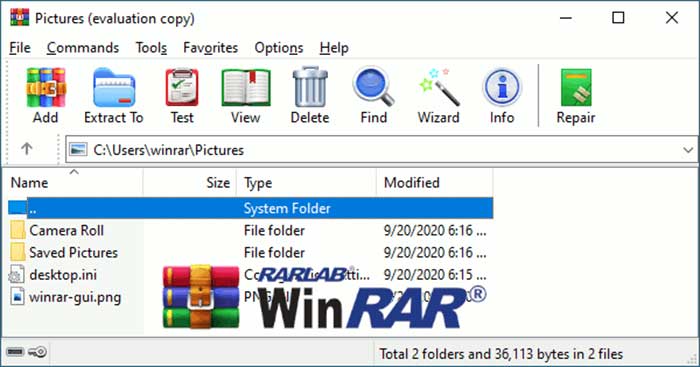
Download WinRAR 7.01 32-bit – Nén giải nén dữ liệu

WinRAR là phần mềm nén/giải nén phổ biến và hàng đầu hiện nay. Mặc dù ra đời sau WinZip, nhưng WinRAR đã vượt qua WinZip về hiệu quả nén file và tính dễ sử dụng. Ngoài ra, nó còn có tính năng bảo mật, kiểm tra toàn vẹn tập tin, sửa chữa, phục hồi, chia nhỏ file và nhiều tính năng khác.
Điểm mới trên WinRAR phiên bản mới nhất
- WinRAR và dòng lệnh RAR sử dụng định dạng RAR 5.0 Archive Format theo mặc định. Bạn có thể chuyển sang định dạng tương thích RAR 4.x với tùy chọn RAR4.
- Sử dụng nút Set master password trong hộp thoại Organize passwords để mã hóa mật khẩu đã lưu và ngăn người ngoài truy cập. Nếu mật khẩu đã lưu được bảo vệ bằng mật khẩu chính, bạn cần nhập mật khẩu chính rồi nhấn OK để truy cập. Sau đó, mật khẩu chính sẽ được dùng cho đến khi đóng WinRAR.
- Cửa sổ đề xuất tạo mật khẩu chính xuất hiện khi lưu mật khẩu trong file nén.
- Ở chế độ mặc định, WinRAR sử dụng AES-256 trong chế độ CTR để mã hóa file ZIP.
- Hỗ trợ giải nén file .LZ tạo bởi công cụ nén Lzip.
- Công cụ TAR hiện đại có thể lưu trữ nhiều file với độ chính xác cao, tên file dài hoặc file kích cỡ lớn.
- Tùy chọn Store modification time mới trên trang Time có thể lưu thời gian chỉnh sửa file trong thư mục RAR 5.x.
- Tùy chọn Full paths in title bar mới trong hộp thoại Settings/General.
- Tùy chọn File types to open as archives first mới trong mục Settings/Compression.
- Thêm lệnh Copy full names to clipboard mới trong thực đơn File.
- Một số thay đổi trong thực đơn ngữ cảnh hiển thị khi chuột phải danh sách file trên WinRAR.
- LZ và ZIPX được thêm vào danh sách liên kết trong hộp thoại Settings/Integration.
- Cùng một số tính năng và sửa lỗi khác.
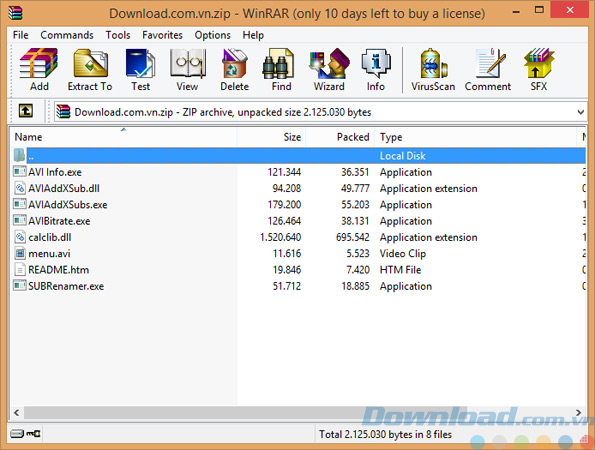
Advantages of WinRAR Software
- Saves disk space and transmission costs.
- Supports RAR and ZIP, can extract CAB, ARJ, LZH, TAR, GZ, ACE, UUE, bz2, JAR, ISO, 7z, Z.
- Offers both a graphical interface and a command line interface.
- User-friendly, the “Wizard” mode allows quick access to basic archival functions through simple questions and answers, avoiding confusion for new users.
- Uses 128-bit Advanced Encryption Standard (AES) algorithm.
- Supports UDF 2.50, enabling extraction of Blu-ray ISO files. Displays UDF version when browsing ISO files in WinRAR address bar.
- Presets common compression and decompression passwords for convenient use when needed.
- Allows batch extraction for files with a common password.
- Shows compression and decompression progress on Windows 7 Taskbar.
- Fully supports Unicode, helps in naming, converting, and searching files with Vietnamese accents.
- Extracts folders according to the exact structure within the archive.
Key Features of WinRAR
- Introduces a primitive compression algorithm, providing high compression ratios for executables, libraries, large text files, etc.
- Offers an optimized optional compression algorithm for multimedia data.
- Supports files and archives up to 9,223,372,036,854,775,807 bytes, approximately 9,000 PB. Unlimited number of archive files for all practical purposes.
- Full support for RAR and ZIP archives, can extract CAB, ARJ, LZH, TAR, GZ, ACE, UUE, BZ2, JAR, ISO, Z, 7Z formats.
- Supports NTFS file security and data streams.
- Provides both classic Windows interface and command line interface.
- Offers the ability to create “solid” archives, increasing compression ratios from 10% to 50% over conventional methods, especially for large numbers of small files.
- Can create and modify SFX archives using a default or external SFX module.
- Offers several service functions, such as setting a password, adding comments. Can repair damaged archives and prevent modifications once locked.
In conclusion, WinRAR is still considered the most powerful compression and decompression software available today. It supports a wide range of popular compression formats with the most useful features while ensuring a user-friendly interface. Download WinRAR to effectively compress and decompress files.
Frequently Asked Questions
WinRAR is a widely popular and top-rated file compression and decompression software, supporting multiple compression formats and offering a variety of security features, integrity check, repair, recovery, file splitting, among others.
The latest WinRAR uses RAR 5.0 Archive Format as default, supports encryption with master passwords, uses AES-256 encryption for ZIP files, supports extracting .LZ files, improves TAR tools, and includes new options in the setup interface along with other features and fixes.
WinRAR supports compressing RAR and ZIP formats, and can extract formats like CAB, ARJ, LZH, TAR, GZ, ACE, UUE, BZ2, JAR, ISO, 7z, Z, and LZ.
WinRAR saves disk space and transmission costs, is user-friendly with both graphical and command line interfaces, supports AES 128-bit encryption, batch extraction for files with common passwords, displays progress on the Taskbar, and supports Unicode for Vietnamese file names.
WinRAR features a primitive compression algorithm for high compression ratios, supports archive sizes up to 9,000 PB, offers NTFS file security support, creates solid archives for improved compression ratios, creates and edits SFX archives, and provides repair and lock functions for archives.
WinRAR is very easy to use with an interactive graphical interface and the ‘Wizard’ mode helps new users access basic archival functions quickly through simple questions.
Yes, WinRAR uses 128-bit AES encryption to protect compressed data, alongside providing password protection features and encrypting saved password records to prevent unauthorized access.
Yes, WinRAR supports UDF 2.50 which helps in extracting Blu-ray ISO files and displays the UDF version when browsing ISO files in the address bar.