Download Code::Blocks – Lập trình C, C++ và Fortran miễn phí
Download Code::Blocks – Lập trình C, C++ và Fortran miễn phí

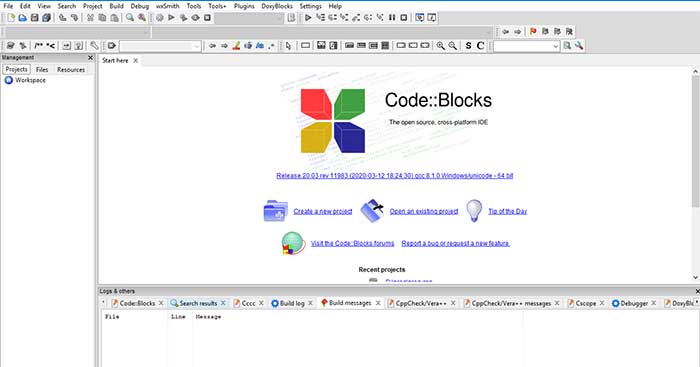
Code::Blocks 20.3 hoặc Code Blocks / Code Block là một IDE miễn phí dành cho lập trình viên C, C++ và Fortran.
Code::Blocks là gì?
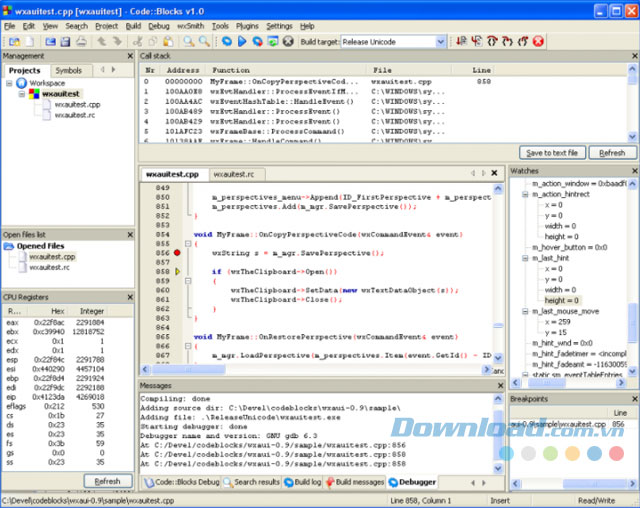
Dù cho Code Block là một IDE khá phổ biến, không phải ai cũng biết đến. Code Blocks được xem như môi trường lập trình tích hợp (IDE – Integrated Development Environment) miễn phí, dễ dàng và hiệu quả, đặc biệt dành cho lập trình viên mới bắt đầu. Code::Blocks có thể đáp ứng những yêu cầu lập trình cơ bản của người dùng ngôn ngữ C, C++ và Fortran. Code Block được thiết kế với khả năng mở rộng và cấu hình toàn diện.
Giống như nhiều IDE khác, Code Blocks cung cấp môi trường tích hợp với nhiều công cụ lập trình như chương trình viết mã (Code Editor), chương trình sửa lỗi (Debugger), chương trình mô phỏng (Simulator)… Nói một cách đơn giản hơn, Code Block là phần mềm bao gồm nhiều gói phần mềm khác để phát triển ứng dụng đa nền tảng.
Code::Blocks sở hữu giao diện đơn giản, nhiều tính năng và hỗ trợ đa nền tảng. Được phát triển dựa trên nền tảng plug-in, CodeBlocks có khả năng mở rộng tính năng khi cài thêm plug-in. Ví dụ như tính năng sửa lỗi trên Code::Blocks được cung cấp thông qua các chương trình mở rộng.
Tính năng chính của Code::Blocks
Tính năng nổi bật:
- Sử dụng mã nguồn mở! GPLv3 hoàn toàn miễn phí, không có chi phí ẩn.
- Hỗ trợ trên nhiều nền tảng.
- Được viết bằng C++. Không yêu cầu lib hay diễn giải ngôn ngữ.
- Khả năng mở rộng tính năng thông qua plug-in.
Compiler:
- Hỗ trợ nhiều Compiler như:
- GCC (MingW / GNU GCC)
- MSVC++
- Clang
- Digital Mars
- Borland C++ 5.5
- Open Watcom
- Hệ thống build cực nhanh (không cần makefiles).
- Hỗ trợ build song song (sử dụng CPU đa lõi).
- Quản lý nhiều project đa mục tiêu.
- Môi trường lập trình để kết hợp nhiều project cùng nhau.
- Inter-project phụ thuộc workspace.
- Nhập MSVC project và workspace (không hỗ trợ Assembly Code).
- Nhập Dev-C++ project.
Debugger:
- GNU GDB Interface.
- Additional support for MS CDB (limited features).
- Comprehensive breakpoint support:
- Code breakpoints
- Data breakpoints (read, write, and read/write)
- Breakpoint conditions (stop only when the value is True).
- Breakpoint ignore counts (stop only after a certain number of hits).
- Display icons and arguments for internal functions.
- Support user guidance display.
- Call stack support.
- Disassembly.
- Custom memory dump.
- Thread switch.
- View CPU register.
Interface:
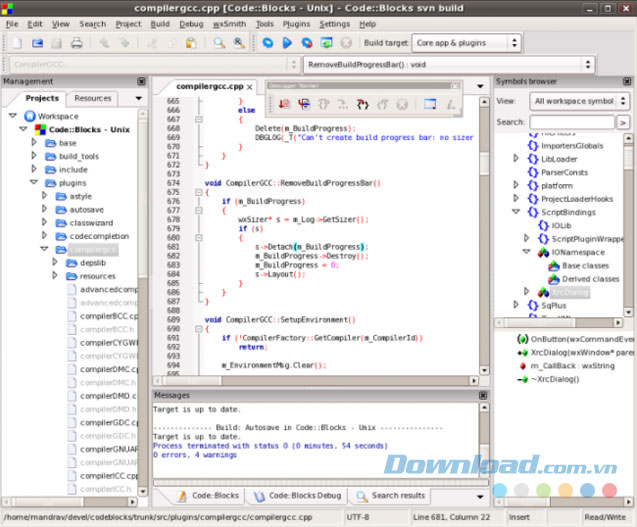
- Syntax highlighting, customizable and extendable.
- Code folding for C, C++, Fortran, XML and many other files.
- Convenient tab-based interface.
- Code completion,
- Class Browser.
- Intelligent indentation.
- One key switch between .h and .c/.cpp files.
- Open file list for quick file switch (optional).
- Customizable toolset.
- Managing multi-user to-do lists.
- And many other features via plugins.
Code Blocks Software Review
Advantages:
- Free open source programming software.
- Good community support and customizable if the user has programming knowledge.
- Multi-platform support on Windows, Linux, and macOS.
- Simple, easy-to-use interface, especially for newcomers to C/C++ programming.
- Integrated compiler allows for setup to use MinGW (GCC) and immediate programming without additional configuration.
- Allows integration with popular compilers such as GCC, Clang, MSVC…
- Rich plugin system allows feature expansion; includes debugger, profiler, project assistant…
Disadvantages:
- Outdated interface with few new updates.
- Low performance with large projects containing many files. In some cases, the program may freeze or hang.
- Integrated debugger based on GDB is unstable, complex interface difficult to use.
- Limited autocomplete and code analysis features when compared to newer IDEs like Visual Studio, CLion, or VS Code.
Download the latest Code::Blocks
Code::Blocks 20.03
User Interface Changes:
- UI: Add information about the wxWidgets library being used in the Help -> About dialog.
- Fixed two assertions due to incorrect use of wxALIGN_LEFT when opening the Project -> Properties dialog,
- Added execution time logging at various points in the code.
- Added compiler ID to the Help -> About dialog.
- Create a Plugin Manager to control resizable plugin info.
- Fixed corrupted Toolbar when saving perspective.
- Fixed batch build issues on Linux by moving it out of OnInit() when using wx>=30.
- Improved child window positioning.
- Ensured correct escape press handling in the Reorder targets dialog.
- Fixed the root of various sub-dialogs in Build -> Properties.
- Fixed an assertion that could occur with an invalid language choice.
- Press Escape in “Code Refactoring” dialog to close it.
- Adjusted border for the Find/Replace dialog.
- Fixed broken toolbar on perspective save.
Many other bugs have been fixed in the Code::Blocks 20.03 update.
Code::Blocks 17.12
- SDK
- Fixed build with the latest boost in autotools.
- Block EVT_MOUSE_CAPTURE_LOST while opening context menu in wxScintilla.
- Allow users to remove old faulty config files while loading.
- Error message on reading xml file with tinyxml.
- Fixed reading of truncated config files.
- Interface/Core
- Removed ad extension when saving new files on wxGTK.
- Fixed status bar issue when scrolling editor.
- Ensured Project menu items are correctly disabled.
- Notify user of running compiler when exiting and ask if they want to stop it.
- Ensured Projects tab context menu items are correctly enabled/disabled.
- Code Completion
- Fixed call tip control issue.
- Fixed spelling in the settings table.
- Configurable toolbar control sizes in the settings table.
- Fixed Code Completion list disappearing after showing.
- Fixed assertion on ctor implementation creation.
- Fixed bugs and made numerous other improvements.