Download CoffeeCup HTML Editor 16.1 – Phần mềm chỉnh sửa mã HTML
Download CoffeeCup HTML Editor 16.1 – Phần mềm chỉnh sửa mã HTML

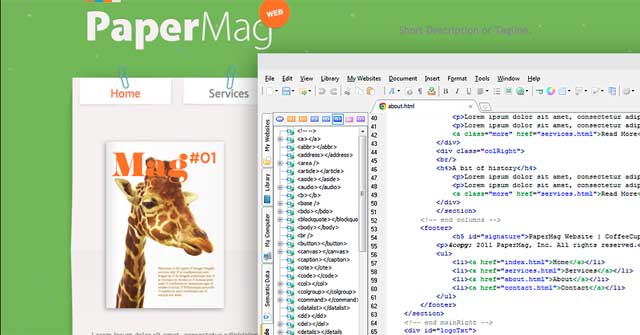
CoffeeCup HTML Editor là một phần mềm lập trình HTML chuyên nghiệp. Giao diện dễ sử dụng cho phép người dùng tải tệp định dạng HTML, VTM, ASP, CSS, PHP, XML, TXT, PL, SNP và nhiều định dạng khác.
CoffeeCup HTML Editor
Phần mềm thiết kế web nâng cao cho mọi đối tượng
Bạn có muốn tạo trang web hoàn hảo? Nếu có, hãy chọn CoffeeCup HTML Editor làm người đồng hành.
CoffeeCup HTML Editor cung cấp tham chiếu tag, công cụ trực quan như hoàn thiện code, thành phần web được cập nhật liên tục, xem trước trực tiếp cùng nhiều công cụ và tính năng đặc biệt khác.
Điểm nổi bật của CoffeeCup HTML Editor
- Độc đáo: Quy trình mượt khi thêm dữ liệu có cấu trúc.
- Hữu dụng: Xem trước trực tiếp, đánh dấu code tương ứng.
- Tiết kiệm thời gian: Thành phần qua chỉnh sửa cập nhật khắp nơi.
- Tin cậy: Được tin dùng bởi hàng nghìn nhà thiết kế web và lập trình viên.
Tính năng chính của CoffeeCup HTML Editor
Bắt đầu sử dụng trong vài giây
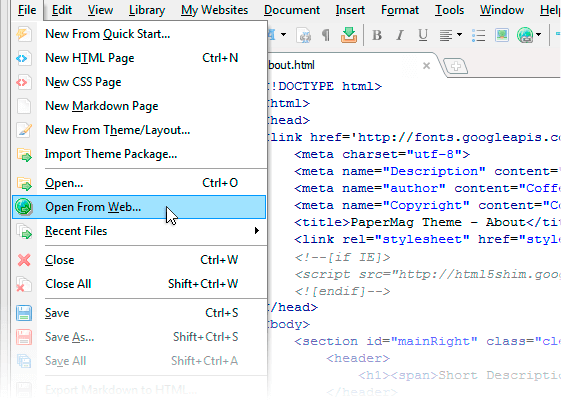
Bắt đầu làm việc nhanh chóng trên web nhờ có nhiều lựa chọn khởi đầu phong phú. Tạo file mới từ đầu hoặc dùng mẫu thiết kế chuyên nghiệp.
Đang xây dựng web? Mở file từ máy hoặc từ server web. Với tùy chọn Open From Web, bạn có thể lấy trang web làm điểm bắt đầu, dù không sở hữu.
Duy trì tổ chức
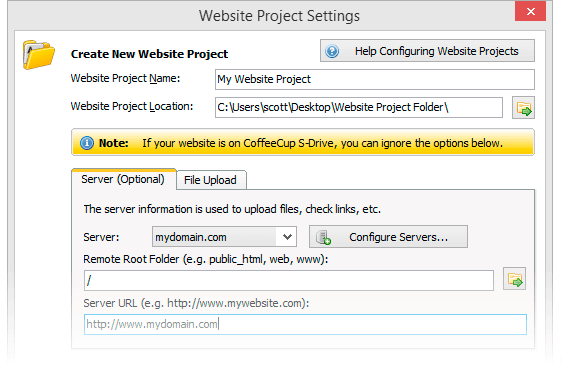
Cấu trúc hợp lý giúp mọi thứ chạy mượt mà và loại bỏ lỗi liên kết, ảnh. CoffeeCup thiết kế Website Projects – quy trình làm việc toàn diện trao quyền kiểm soát cách sắp xếp cho người dùng.
Components Library – tiết kiệm thời gian
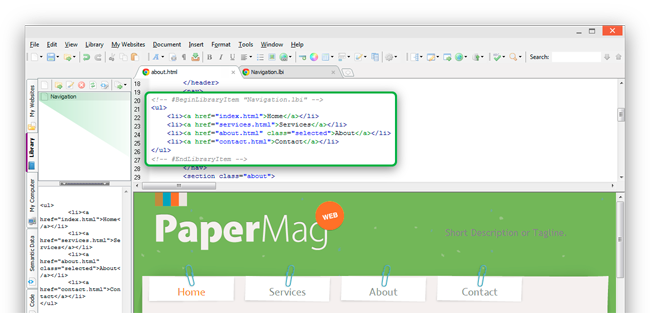
Trang web có các thành phần như menu, header được tái sử dụng. Với Components Library, bạn có thể lưu và nhúng chúng vào bất kỳ trang nào. Thay vì cập nhật từng phiên bản bằng tay, chỉ cần chỉnh sửa mục trong thư viện và nó tự động cập nhật khắp nơi.
Tự tin lập trình
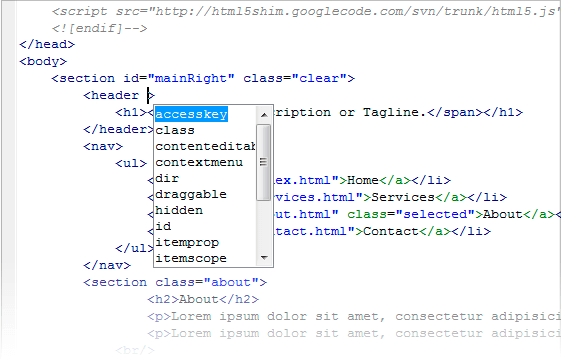
Tag Reference toàn diện đặt tag chính xác vào tay bạn. Code Completion tự động đề xuất tag khi bạn gõ và gợi ý từ file CSS tham chiếu. Validation Tool cho phép kiểm tra code cho trang hợp lệ.
Dùng công cụ này giúp tạo code hợp lệ khiến trang hiển thị nhất quán, dễ truy cập hơn với người dùng & công cụ tìm kiếm bị vô hiệu hóa.
Trình chọn code trực quan + Xem trước trực tiếp
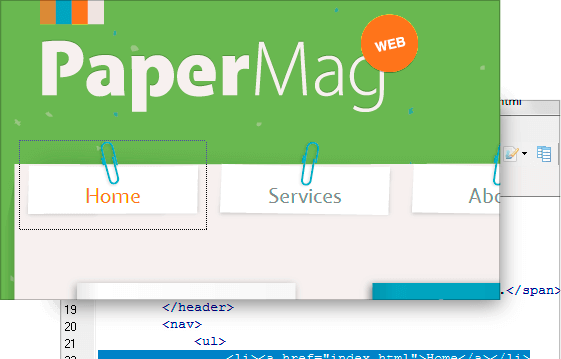
Dùng xem trước chia đôi màn hình để xem trang web hiển thị dưới code. Hoặc xem trên cửa sổ khác hoặc màn hình thứ hai. Thử nghiệm code? Xem trước trực tiếp cho bạn thấy thiết kế chạy như thế nào.
Designed for programming enthusiasts
CoffeeCup HTML Editor is for perfectionists, organizing masters, and SEO enthusiasts. Writing your own website code can be one of the most rewarding tasks for you. HTML Editor will help you accomplish this task.
Master the best languages

PHP

Markdown

CSS 3

HTML 5
Ready for the Semantic Web
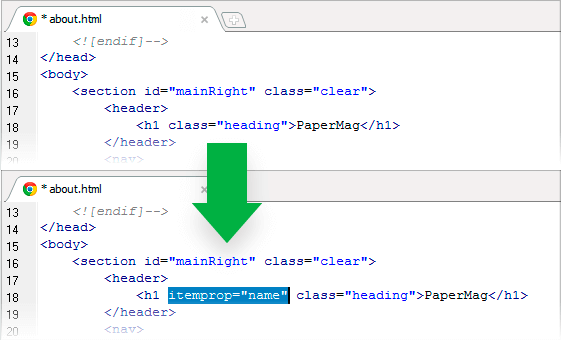
Adding structured or semantic data to labeled content should be prioritized when building websites. Search engines increasingly rely on this approach to better understand page content, thereby improving the overall search experience for users.
Pages with correctly structured data will be prioritized over others and can maintain better search rankings. Thus, start using the HTML Editor to easily add meaningful web data.
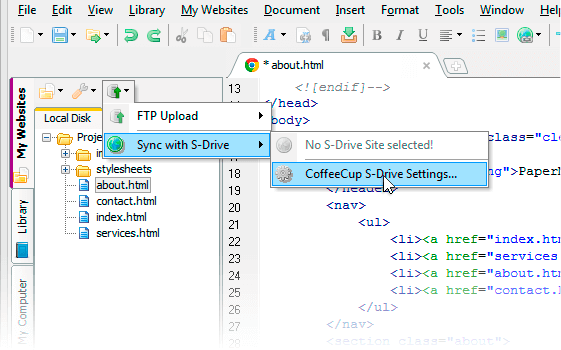
Publish everywhere
Easily integrate FTP loader to publish the web to your chosen location. Choose any web server (or use your own server), add corresponding FTP settings and run directly with a click. Easily switch between addresses, for instance, from your workflow to a live production page.
Or access free FTP by syncing with the CoffeeCup server platform. Get a custom domain or use your own. Connection is easy, just use the simple CoffeeCup login details (email and password).
Flexible interface customization
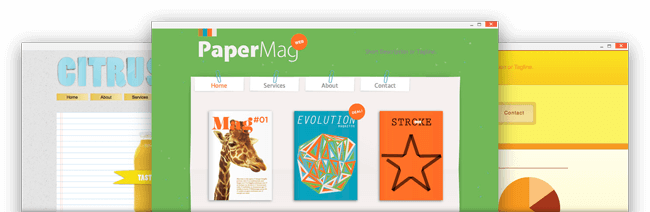
With CoffeeCup HTML Editor , it’s easy to build beautiful websites quickly, even faster if you use available templates.
System requirements for using CoffeeCup HTML Editor
- RAM: 512 MB (1 GB recommended)
- Free hard disk space: 50 MB
- IE 8 or higher
Updates in the latest CoffeeCup HTML Editor version
- Metadata generator
- Added feature to open projects by double-clicking on the file
- Support for customizing HTML tags in the toolbar
- Updated attributes for form components
Frequently Asked Questions
CoffeeCup HTML Editor is a professional programming software for editing HTML codes, supporting multiple formats such as HTML, VTM, ASP, CSS, PHP, XML, TXT, PL, SNP and other formats.
Outstanding features include a smooth workflow when adding structured data, one-click preview, and corresponding code highlighting, automatic component updates through editing, and high reliability trusted by many web designers and developers.
CoffeeCup HTML Editor supports languages PHP, Markdown, CSS 3, and HTML 5.
You can use the split-screen preview to view the website display beneath the code, or use the external preview to show the page in another window or on a second screen. The live preview helps ensure the design runs correctly.
With the Components Library, you can save web components like menus, footers, and headers in one place and embed them into multiple pages. When editing a component in the library, it automatically updates on all pages using it.
System requirements include a minimum RAM of 512 MB (1 GB recommended), free disk space of 50 MB, and an IE 8 browser or higher.
The latest version adds a metadata generator, opens projects by double-clicking files, supports custom HTML tags for the toolbar, and updates attributes for form components.
You can easily integrate an FTP loader to publish the web to your chosen location, add FTP settings, and publish with just one click. Additionally, you can sync with the CoffeeCup server platform to get a custom domain or use your own domain.